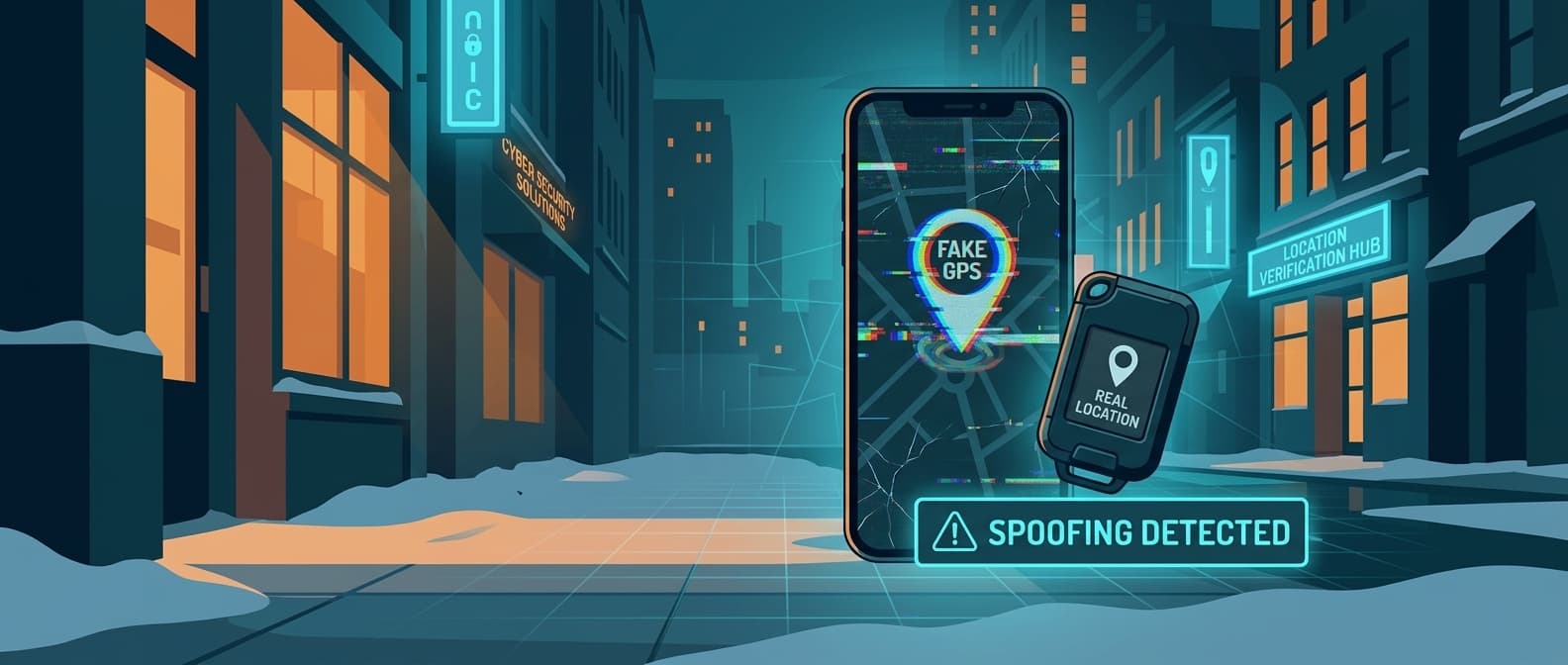
Your Employees Are Spoofing Their GPS Location
A field service company in Texas noticed something wrong in their GPS logs last year. Three HVAC technicians were showing "on site" at customer locations for 2-3 hours per appointment. But customers kept calling in to ask where the tech was. The dispatchers assumed scheduling mixups. It took four weeks and nine missed appointments before someone pulled the raw GPS data and noticed that all three technicians were "arriving" at job sites at exactly the same coordinates every time, down to six decimal places. Real GPS drifts by a few meters between readings. Spoofed GPS does not.
The technicians were at home. They were using a $4.99 Android app called Fake GPS Location to broadcast false coordinates to the company's fleet tracking software. They had been doing it for months.
This is not an edge case. It is a known, widespread problem in every industry that relies on mobile GPS for workforce management. And most companies have no idea it is happening.
How GPS Spoofing Works
GPS spoofing on a phone means overriding the device's real location with fake coordinates. The operating system reports the fake location to every app on the device, including fleet tracking, time-clock, and dispatch software. From the server's perspective, the employee appears to be exactly where they say they are.
Android: Developer Mode + One App
Android makes this trivially easy. The process takes about 90 seconds:
- Open Settings, go to About Phone, tap Build Number seven times to enable Developer Options.
- In Developer Options, enable "Select mock location app."
- Install a spoofing app from the Google Play Store.
- Open the app, drop a pin on the desired location, tap Start.
That is it. Every app on the phone now thinks the device is at the spoofed location. The user can set a single point, simulate movement along a route, or randomize slight position variations to mimic natural GPS drift.
The most popular apps:
| App | Google Play Downloads | Rating | Price |
|---|---|---|---|
| Fake GPS Location - GPS JoyStick | 10M+ | 3.8 stars | Free / $4.99 pro |
| Fake GPS GO Location Spoofer | 5M+ | 3.6 stars | Free / $3.99 pro |
| Mock GPS with Joystick | 1M+ | 4.0 stars | Free |
| GPS Emulator | 1M+ | 3.9 stars | Free |
Combined, the top 10 GPS spoofing apps on Google Play have over 50 million downloads. The reviews are full of field workers, delivery drivers, and sales reps openly discussing using them for work.
iOS: Harder but Not Impossible
Apple does not expose mock location settings to users, so iOS spoofing requires more effort. But it is far from impossible.
Computer-tethered tools like iTools, 3uTools, and iSpoofer let users set a fake location on their iPhone by connecting it to a laptop via USB. The fake location persists until the phone is restarted. Some tools work wirelessly after the initial USB setup.
Modified configuration profiles can override location services on managed devices. This is an ironic vulnerability: the same MDM profile mechanism companies use to manage employee phones can be exploited to inject fake locations.
Jailbroken devices can run location spoofing tweaks like LocationFaker or Relocate directly on the phone, no computer needed. Jailbreaking is less common than it was five years ago, but it still exists on older iOS versions.
The iOS barrier is higher than Android, but a motivated employee with a laptop and 15 minutes of YouTube tutorials can get it working.
How Prevalent Is This, Really?
The honest answer: nobody knows exactly, because the whole point is to avoid detection. But the circumstantial evidence is significant.
Google Play download numbers. The top GPS spoofing apps collectively have 50M+ installs. Not all of these are work-related. Many are for gaming (Pokemon GO) or dating apps. But the reviews tell a different story. Sort by recent reviews on Fake GPS Location and you will find comments like:
- "Works great for my job. Manager thinks I'm on site."
- "Perfect for clocking in from home."
- "Use this every day for my delivery route. Saves me two hours."
Reddit. Threads on r/antiwork, r/WorkReform, and r/couriersofreddit openly discuss GPS spoofing techniques for work. A search for "fake GPS work" on Reddit returns hundreds of threads. The tone is casual and instructional, not secretive. Posters share app recommendations, troubleshooting tips, and strategies for avoiding detection.
Industry surveys. A 2024 survey by the American Payroll Association estimated that time theft (including buddy punching, extended breaks, and location fraud) costs U.S. employers $11 billion per year. GPS spoofing is a subset of that number, but it is the hardest subset to detect because the data itself looks legitimate.
Who does this most? The pattern concentrates in roles where employees are unsupervised for extended periods:
- Field service technicians (HVAC, plumbing, electrical, IT)
- Delivery and courier drivers
- Outside sales reps
- Home healthcare workers
- Pest control and lawn care crews
- Construction supervisors covering multiple sites
The Business Impact
GPS spoofing is not just a time theft problem. It cascades into operational, financial, and legal exposure that most managers do not think about until something goes wrong.
Direct Time Theft
An employee spoofing 2 hours per day at a $35/hour billing rate costs the company $18,200 per year. If three people on a 20-person field team are doing it, that is $54,600 annually in labor paid for work that was never performed. For a company running 100+ field workers, the exposure reaches six figures.
Customer No-Shows
When a technician fakes being on-site, the customer gets ghosted. They call dispatch. Dispatch sees the tech "at the location" and assumes the customer is confused. The customer waits, gets frustrated, and eventually calls back angry. By the time anyone figures out what happened, you have lost the customer's trust and possibly the account.
Fake Mileage Reimbursement
If employees are reimbursed per mile, a spoofed route that shows 85 miles when the actual drive was 12 means the company is paying for 73 ghost miles. At the IRS standard rate of $0.70/mile, that is $51 per day per employee in fraudulent reimbursement. Over a year, one employee pocketing an extra $12,000 in mileage is not unusual.
Workers' Compensation Fraud
This is the one that keeps risk managers up at night. If an employee claims a workplace injury at a job site they were never physically at, the company faces a fraudulent workers' comp claim with falsified location evidence. The GPS log shows them "on site." Disproving that claim requires investigation, legal fees, and often litigation. Some companies have settled these claims for five and six figures because they could not prove the employee was elsewhere.
Liability Exposure
If a service was supposedly performed at a customer location (safety inspection, equipment maintenance, patient care visit) but the technician was never actually there, the company carries liability for work that was not done. If something goes wrong, such as a furnace failure, a compliance violation, or a patient incident, the GPS log becomes evidence that your company was responsible.
How to Detect GPS Spoofing
Spoofing apps are good at fooling basic fleet tracking. But they leave traces that more sophisticated analysis can catch.
1. Teleportation Detection
Real humans move through physical space. They drive at road speeds, stop at intersections, and take time to travel between locations. A spoofed location often "teleports," jumping instantly from one location to another without a realistic travel path in between.
What to look for: Any two consecutive GPS pings that would require travel speeds above 120 mph. If an employee is at the office at 8:47 AM and at a job site 40 miles away at 8:48 AM, the location was spoofed.
2. Altitude Anomalies
Real GPS readings include altitude data derived from satellite signals. Spoofing apps frequently report an altitude of exactly 0 meters, or they repeat the same altitude value across all locations regardless of actual terrain. A technician who is supposedly driving through hilly terrain but reporting 0 altitude at every ping is almost certainly spoofing.
3. GPS Accuracy Metrics
Android provides an accuracy radius with every location fix. Real GPS in urban environments typically reports accuracy of 3-15 meters. Spoofed locations often report suspiciously perfect accuracy (exactly 1.0 meter) or suspiciously poor accuracy, depending on the app. Look for accuracy values that do not vary over time. Real GPS accuracy fluctuates constantly.
4. Wi-Fi and Cell Tower Mismatch
This is the strongest signal. Modern phones use Wi-Fi access points and cell towers to supplement GPS positioning. If the GPS says the employee is at a downtown job site, but the device's Wi-Fi scan shows it connected to a residential network named "SmithFamily_5G" in a suburb 20 miles away, the GPS is fake.
Most fleet tracking apps do not check this. But any app with Wi-Fi scanning permissions can cross-reference the reported GPS location against visible Wi-Fi networks and cell tower IDs. A mismatch is conclusive evidence.
5. Suspicious Stationarity Patterns
Real phones in real pockets produce noisy location data. Even a phone sitting on a desk will show position scatter of 2-10 meters between readings because of satellite geometry changes, signal multipath, and atmospheric interference. Spoofed locations are often unnaturally stable, reporting the exact same coordinates for hours.
If an employee's GPS shows them parked at a job site for 3 hours with zero position variance, either the phone is in a Faraday cage or the location is spoofed.
6. Mock Location Flag (Android)
Android provides a boolean flag (isFromMockProvider()) that indicates whether a location reading came from a mock provider. Spoofing apps set this flag to true. Many fleet tracking apps do not check it. The ones that do can catch the laziest spoofers instantly.
The catch: more sophisticated spoofing apps can suppress this flag using root access or Xposed Framework modules. It catches the 80% of spoofers who are not technically sophisticated enough to hide it.
7. App Detection via MDM
Mobile Device Management (MDM) platforms can scan for installed spoofing apps on managed devices. If a company phone has "Fake GPS Location" installed, that is a smoking gun. MDM can also enforce policies that prevent developer mode from being enabled or mock location apps from being installed.
The limitation: this only works on company-owned devices. If employees use personal phones (BYOD), MDM app scanning is typically not an option.
Why Software-Based Fleet Tracking Is Fundamentally Vulnerable
Every fleet tracking app that runs on an employee's phone has the same core problem: the location data comes from the phone's operating system. If the operating system is reporting fake coordinates, the app has no way to independently verify the real location. It is trusting the device it is running on.
This is not a bug in any particular fleet tracking product. It is an architectural limitation of software-based phone tracking. The tracking app and the spoofing app both run on the same device. The spoofing app sits between the GPS hardware and the operating system, intercepting the real coordinates and substituting fake ones before any other app can see them.
No amount of software sophistication in the fleet tracking app can fully overcome this. You can add heuristic detection (teleportation checks, accuracy analysis, mock provider flags) and catch most spoofers. But a determined, technically capable employee can always find ways to make spoofed data look realistic.
The detection methods in the previous section are valuable and will catch 80-90% of spoofing attempts. But they are fundamentally a cat-and-mouse game. Spoofing apps get smarter, detection gets smarter, spoofing apps adapt.
Why Hardware Trackers Are Spoof-Proof
A physical tracking device mounted in a vehicle or attached to a piece of equipment operates completely outside the employee's phone. The employee cannot install an app on it. They cannot enable developer mode on it. They cannot override its location.
AirTags and Find My-compatible trackers report their location through Apple's Find My network, which consists of over a billion iPhones, iPads, and Macs worldwide. When any Apple device passes within Bluetooth range of the tracker, it anonymously relays the tracker's position to Apple's servers. The tracker itself has no user interface, no app store, and no settings the employee can modify.
The key distinction:
| Phone-Based GPS Tracking | Hardware Tracker (AirTag/Find My) | |
|---|---|---|
| Location source | Phone's GPS chip (spoofable) | Bluetooth relay via Apple's network (not spoofable) |
| Who controls the device? | Employee | Company |
| Can employee install apps? | Yes | No |
| Can employee override location? | Yes, with spoofing app | No |
| Works when device is "off"? | No | Yes (passive Bluetooth) |
| Requires employee cooperation? | Yes (they must carry/charge the phone) | No (tracker is in the vehicle) |
| Battery / maintenance | N/A (phone charged by employee) | CR2032 coin cell, 12+ months at full update rate; no charging routine |
| Update frequency | Depends on app | Every 1-5 min in populated areas via 2.5B Find My devices |
When you put a Find My tracker in a work truck, you know where the truck is. Not where the employee's phone says it is. Not where the employee wants you to think it is. Where it actually, physically is.
Cross-referencing the hardware tracker's location against the employee's phone GPS creates an instant spoofing detection system. If the phone says the employee is at a customer site in Dallas, but the vehicle tracker shows the truck parked at their home address in Plano, the discrepancy is conclusive and timestamped.
What to Do When You Catch Someone
Catching an employee spoofing their GPS is a disciplinary matter, but it needs to be handled with documentation and process. Reacting emotionally or immediately terminating without evidence creates legal exposure.
Step 1: Collect evidence before confronting. Pull at least two weeks of GPS data showing the anomalies. Screenshots of teleportation events, altitude zeroes, and location mismatches. If you have hardware tracker data showing the vehicle at a different location than the phone, export both datasets with timestamps.
Step 2: Verify with customer records. Cross-reference the spoofed "on site" times with customer appointment records. Did the customer confirm the visit happened? Were work orders completed? This establishes whether actual work was missed, not just that GPS was faked.
Step 3: Involve HR before the conversation. GPS spoofing for time theft is typically grounds for termination, but labor laws vary by state. In some jurisdictions, you need to demonstrate that the employee was aware of the GPS tracking policy and that spoofing it was a violation. Having HR draft the documentation before the confrontation prevents procedural mistakes.
Step 4: Have the conversation with a witness present. Present the evidence factually. Do not accuse or editorialize. "Our records show your phone reported being at 123 Main Street from 10 AM to 12 PM on March 15th. Our vehicle tracker shows the truck was at your home address during that time. Can you explain the discrepancy?"
Step 5: Document the outcome. Whether it results in termination, a written warning, or a last-chance agreement, document everything. If the employee later files for unemployment or takes legal action, the documentation is your defense.
Legal note: Some states have specific statutes around GPS tracking of employees. Ensure your employee handbook includes a clear policy on GPS monitoring, that employees have signed an acknowledgment, and that spoofing or disabling tracking devices is listed as a terminable offense. Consult employment counsel if you are uncertain.
Prevention: Building a Spoof-Resistant System
The goal is not just catching spoofers after the fact. It is building a tracking system where spoofing does not work in the first place.
1. Deploy Hardware Trackers on Vehicles and Equipment
Put a Find My-compatible tracker in every work vehicle, tool bag, or piece of equipment that goes to job sites. This gives you ground truth location data that no employee can manipulate. Airpinpoint provides a dashboard where you can see every tracker on a single map, with location history, geofence alerts, and multi-site management.
2. Cross-Reference Phone GPS Against Hardware GPS
Run both systems in parallel. The phone-based app captures the employee's reported location. The hardware tracker captures the vehicle's actual location. Any discrepancy exceeding a reasonable radius (say, 500 meters) triggers an automatic flag for review. This turns spoofing from invisible to obvious.
3. Set Up Geofence Verification
Create geofences around customer locations and job sites. When a hardware tracker enters the geofence, record an arrival event. When it exits, record a departure. This gives you objective, spoofing-proof records of when company assets were actually at each site, regardless of what the employee's phone says.
4. Require Photo or Signature Check-Ins
Supplement GPS with a non-GPS verification layer. Require employees to take a timestamped photo at the job site, capture a customer signature on arrival, or scan a QR code posted at the customer's location. These are harder to fake than GPS (though not impossible) and create additional evidence if spoofing is suspected.
5. Communicate the Policy Clearly
Announce the hardware tracking system. Tell employees that vehicle locations are monitored and cross-referenced. The deterrent effect alone eliminates most casual spoofing. The employees who were faking locations because they thought nobody would notice will stop when they learn that a separate, independent tracking system is verifying their phone data.
You do not need to frame this as adversarial. Position it as an operational improvement: "We're adding vehicle trackers to improve dispatch efficiency, verify service completion for customers, and protect the company in liability situations." All of which is true. The spoofing detection is a side effect of a system that has legitimate operational value.
The Uncomfortable Truth
Most fleet managers suspect some employees are faking their locations. Few investigate, because they do not want to confront what they will find. The spoofing apps are free, the techniques are posted openly on Reddit, and the detection capabilities of most fleet tracking software are minimal.
The fix is not better software on the employee's phone. It is a separate, independent tracking system on the company's assets. One the employee cannot control, cannot modify, and cannot spoof.
That is what hardware trackers provide. And for companies running field service, delivery, or any mobile workforce, the ROI on catching even one spoofer pays for the entire system many times over.
Airpinpoint provides spoof-proof vehicle and equipment tracking through Apple's Find My network. See how it works or view pricing.
Apple stops at 32 AirTags per account
Airpinpoint tracks unlimited tags in one dashboard, with location updates about every 5 minutes, geofence alerts, and a REST API, from $11.99 per tag per month.
Free to start. Works with the AirTags you already own. 6,700+ tags under management.
